
Server failures can cascade into million-dollar outages—technicians need on-site AI now, not after months of integration.
Deploy AI copilots for technicians by integrating with dispatch systems, loading equipment documentation and telemetry feeds, then piloting with 5-10 technicians on high-MTTR issues to validate guidance quality before scaling.
Teams delay deployment for months because they assume AI requires enterprise-wide system overhauls. Meanwhile, technicians continue wasting time searching manuals on-site.
Data center equipment spans multiple vendors and generations. Technicians scroll through BMC logs and 300-page manuals mid-repair, extending MTTR unnecessarily.
Operations leaders struggle to define the first use case. Starting too broad dilutes impact; starting too narrow misses the real workflow bottleneck.
Start with dispatch system integration. Connect the platform to your existing FSM tools (ServiceMax, SAP, Oracle) via API or webhook so work orders flow automatically. This takes days, not months—no custom development required.
Next, load equipment documentation and telemetry. Upload server manuals, BMC event codes, IPMI logs, and past work orders. The platform indexes this into a searchable knowledge graph. Then pilot with 5-10 technicians handling high-MTTR issues—cooling failures, drive replacements, power anomalies. Their feedback validates guidance quality before you scale to the full team.

Predicts which server components, power supplies, or cooling parts technicians will need before dispatch—reducing truck rolls for data center repairs.

Correlates BMC telemetry, IPMI logs, and historical failure patterns to identify thermal hotspots, drive failures, or power anomalies faster.
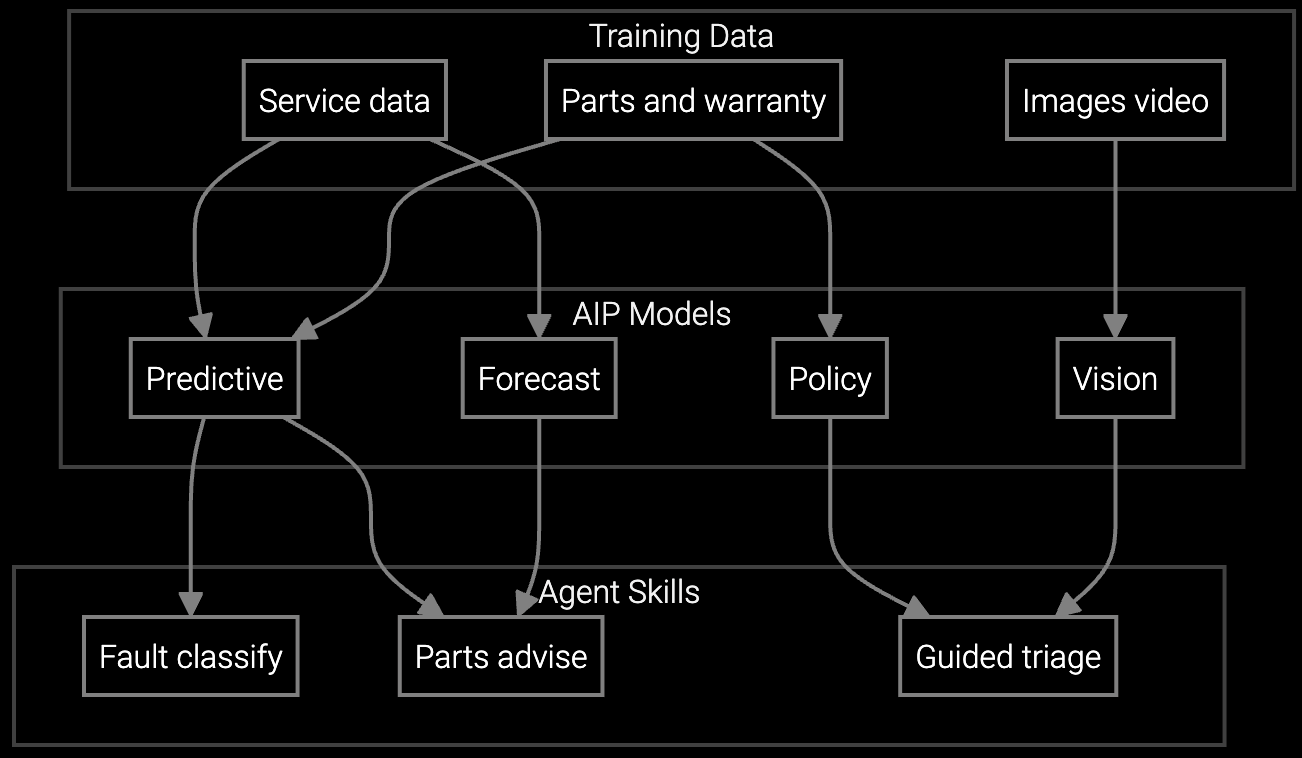
Mobile copilot provides real-time guidance on server configurations, cooling procedures, and RAID rebuild steps—directly on-site at the rack.
Data centers run multi-vendor environments—Dell, HPE, Supermicro servers alongside Vertiv cooling and APC power systems. Each has unique BMC interfaces, firmware update procedures, and telemetry formats.
The platform ingests vendor-specific documentation automatically. Upload PDU manuals, IPMI command references, and thermal management guides. The AI learns equipment-specific language so technicians get accurate answers whether troubleshooting a drive failure or a hot aisle anomaly.
API integration with dispatch systems typically completes in 3-5 days. Loading documentation and launching a pilot with 5-10 technicians takes another 1-2 weeks. Most teams see measurable MTTR improvements within 30 days of pilot start.
No. The platform integrates with ServiceMax, SAP Field Service, Oracle, and other FSM systems via API. Technicians access AI guidance through an embedded widget in their existing mobile app—no new interface to learn.
PDFs, Word docs, HTML knowledge bases, CSV parts catalogs, and structured telemetry logs (BMC events, IPMI data, SNMP traps). The platform parses vendor manuals, internal runbooks, and historical work orders to build the knowledge graph.
Focus on high-MTTR equipment types with frequent repeat visits—cooling system failures, power anomalies, or drive replacements. Select 5-10 technicians handling these issues and track first-time fix rate changes. Narrow scope with clear metrics proves value faster than broad rollouts.
Yes. The mobile app caches recently accessed procedures and parts data for offline use. When connectivity resumes, it syncs new work orders and updated documentation automatically.

How AI bridges the knowledge gap as experienced technicians retire.

Generative AI solutions for preserving institutional knowledge.

AI-powered parts prediction for higher FTFR.
See how Bruviti integrates with your dispatch system and pilot with your first technicians.
Schedule Implementation Review