
Rising case volumes and complex server configurations demand intelligent automation now.
Integrate AI-powered case routing and knowledge retrieval into existing CRM systems to reduce agent handle time and improve first contact resolution. Deploy via API with minimal workflow disruption while maintaining SLA compliance.
Customer history scattered across ticketing systems, email threads, and chat logs forces agents to search multiple platforms. Server configurations, firmware versions, and BMC logs sit in separate databases.
Agents manually categorize thermal issues, storage failures, and power anomalies. Misrouted cases bounce between teams while customers wait. Each handoff adds delay and frustration.
Different agents apply different solutions to identical RAID controller failures. New agents lack access to tribal knowledge about specific hardware revisions. Response quality varies by shift and tenure.
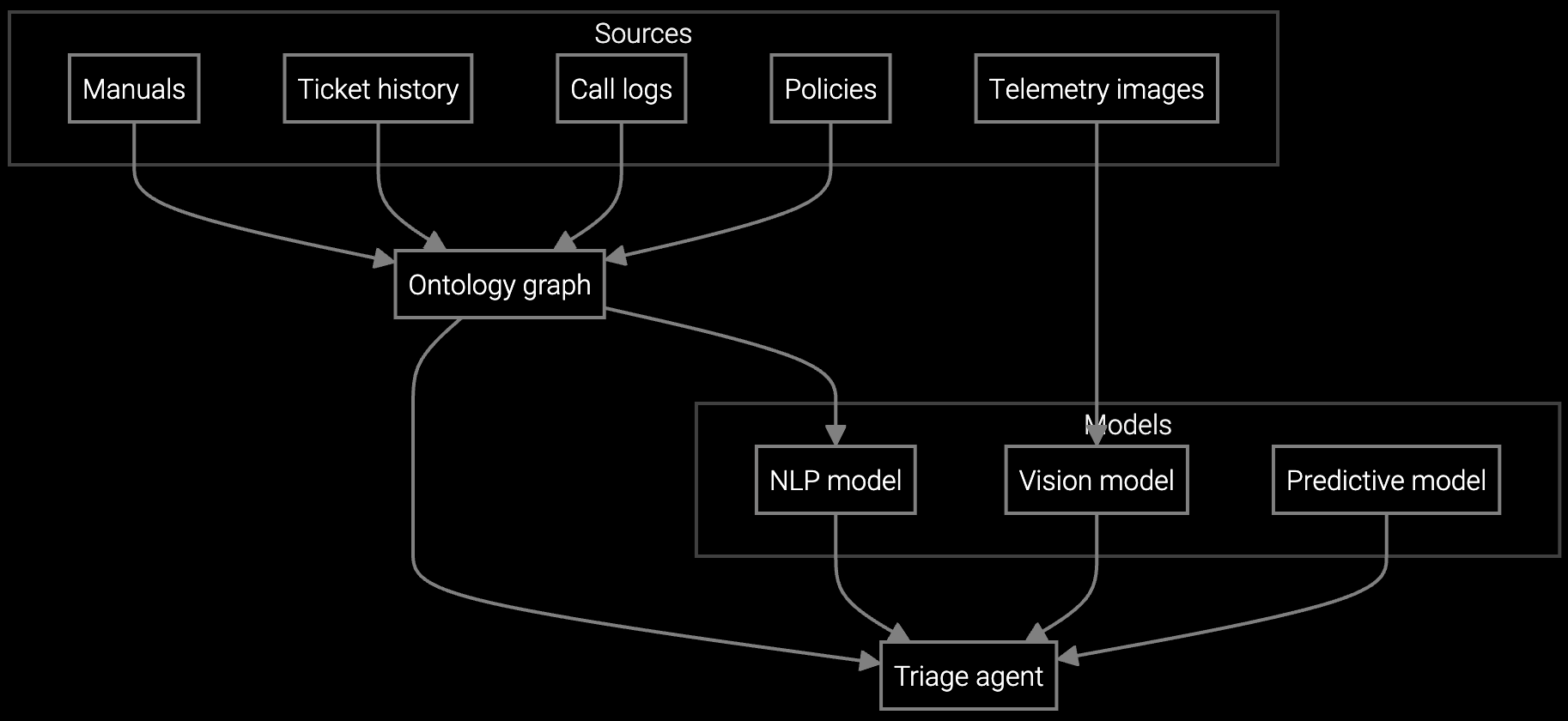
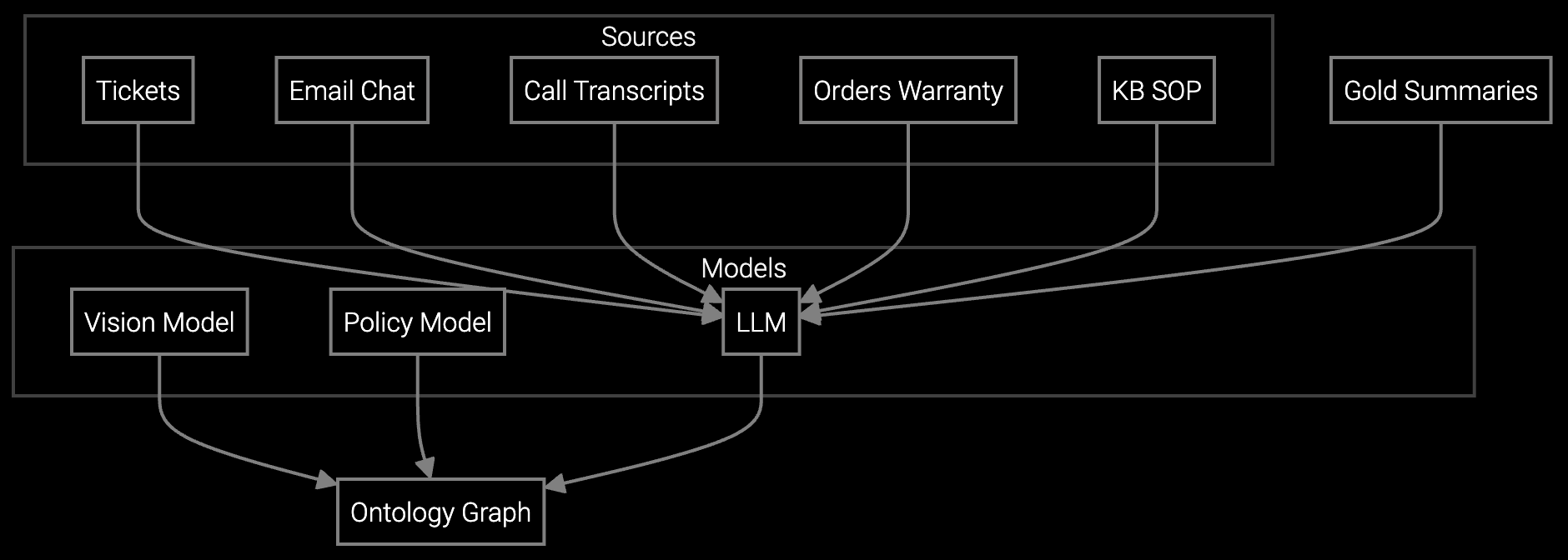
Bruviti integrates with existing CRM and ticketing platforms via REST APIs, ingesting historical case data, equipment telemetry from BMC/IPMI interfaces, and knowledge base articles. The platform trains models on successful resolution patterns, correlating symptoms with root causes across millions of server interactions.
AI-powered case routing analyzes incoming requests in real time, classifying issues by component type, severity, and required expertise. Agents receive auto-populated context summaries with relevant technical documentation, similar past cases, and recommended resolution paths. Deploy incrementally by function—start with email triage, expand to chat and phone—while measuring impact at each stage.
Autonomous classification analyzes thermal alerts, storage SMART data, and power anomalies to route server issues correctly the first time.
Instantly compiles server configuration history, previous BMC logs, and firmware update records so agents start with full context.

AI reads customer emails describing cooling failures or RAID degradation, classifies by urgency, and drafts technical responses using knowledge base articles.
Data center equipment manufacturers face unique implementation requirements due to hardware diversity and hyperscale customer expectations. Server, storage, and cooling system OEMs manage case volumes spanning dozens of product lines, each with distinct firmware versions, BMC implementations, and telemetry formats.
Start by integrating BMC and IPMI telemetry feeds to train models on thermal patterns, drive SMART data, and power anomalies. Connect to existing ticketing platforms where agents already document cases. This dual-feed approach—combining equipment telemetry with resolution history—enables AI to correlate symptoms with proven fixes specific to each hardware revision.
The platform integrates via REST APIs with CRM systems like Salesforce or ServiceNow, equipment telemetry from BMC/IPMI interfaces, knowledge bases, and email systems. It ingests case history, hardware configuration data, and resolution patterns to train models specific to your product portfolio.
Initial integration and model training takes 4-6 weeks for a single product line. Pilot deployments start with one contact center team handling a specific equipment type. Full rollout across multiple product families and global support centers typically completes within 4-6 months, deployed incrementally to manage change and measure impact.
The platform deploys as a copilot interface alongside existing tools, not as a replacement. Agents continue using their current ticketing system while receiving AI-powered recommendations in a sidebar. This parallel approach allows gradual adoption, skill-building, and workflow refinement without forcing cutover.
Track average handle time, first contact resolution rate, and case misrouting percentage weekly. Compare pilot team metrics against control groups handling similar case types. Most data center OEMs see measurable AHT reduction within 30 days of deployment as agents access relevant technical documentation faster.
All data remains encrypted at rest and in transit. Model training occurs within your security boundary using your existing access controls. The platform supports single sign-on, role-based permissions, and audit logging. Customer equipment configurations and case details never leave your environment without explicit approval.

Transforming appliance support with AI-powered resolution.

Understanding and optimizing the issue resolution curve.

Vision AI solutions for EV charging support.
Get implementation timelines, integration requirements, and ROI projections tailored to your data center equipment portfolio.
Schedule Implementation Review