
Network downtime costs thousands per minute—your contact center can't afford a disruptive rollout or weeks of agent retraining.
Deploy AI case routing in three phases: connect your CRM/ticketing system, pilot on Tier 1 cases, then expand to full contact center. Agent workflows remain unchanged while AI handles triage and knowledge retrieval in the background.
Rolling out new systems mid-shift forces agents to toggle between old and new tools while case queues pile up. Training takes weeks, and productivity tanks during the transition.
Network support teams juggle CRM, ticketing, SNMP monitoring, and knowledge bases. Each system requires separate API connections, authentication, and data mapping.
AI models trained on incomplete case histories produce unreliable routing decisions. Missing SNMP logs, firmware versions, or configuration details reduce accuracy to guesswork.
Deploy Bruviti's AI case routing without changing agent workflows or requiring extensive retraining. The platform connects to your existing CRM and ticketing systems through pre-built API integrations, pulling case histories, SNMP telemetry, and knowledge base articles. Start with a pilot on Tier 1 router and switch issues—cases that currently consume the most agent time but follow predictable patterns.
The AI runs in observation mode first, analyzing incoming cases and recommending routing decisions while agents continue their normal work. After validating accuracy on historical data, enable autonomous routing for the pilot category. Agents see correctly triaged cases with pre-populated diagnostic context—firmware versions, error logs, and relevant KB articles—already attached. Expand category by category as confidence builds, never forcing a big-bang cutover.
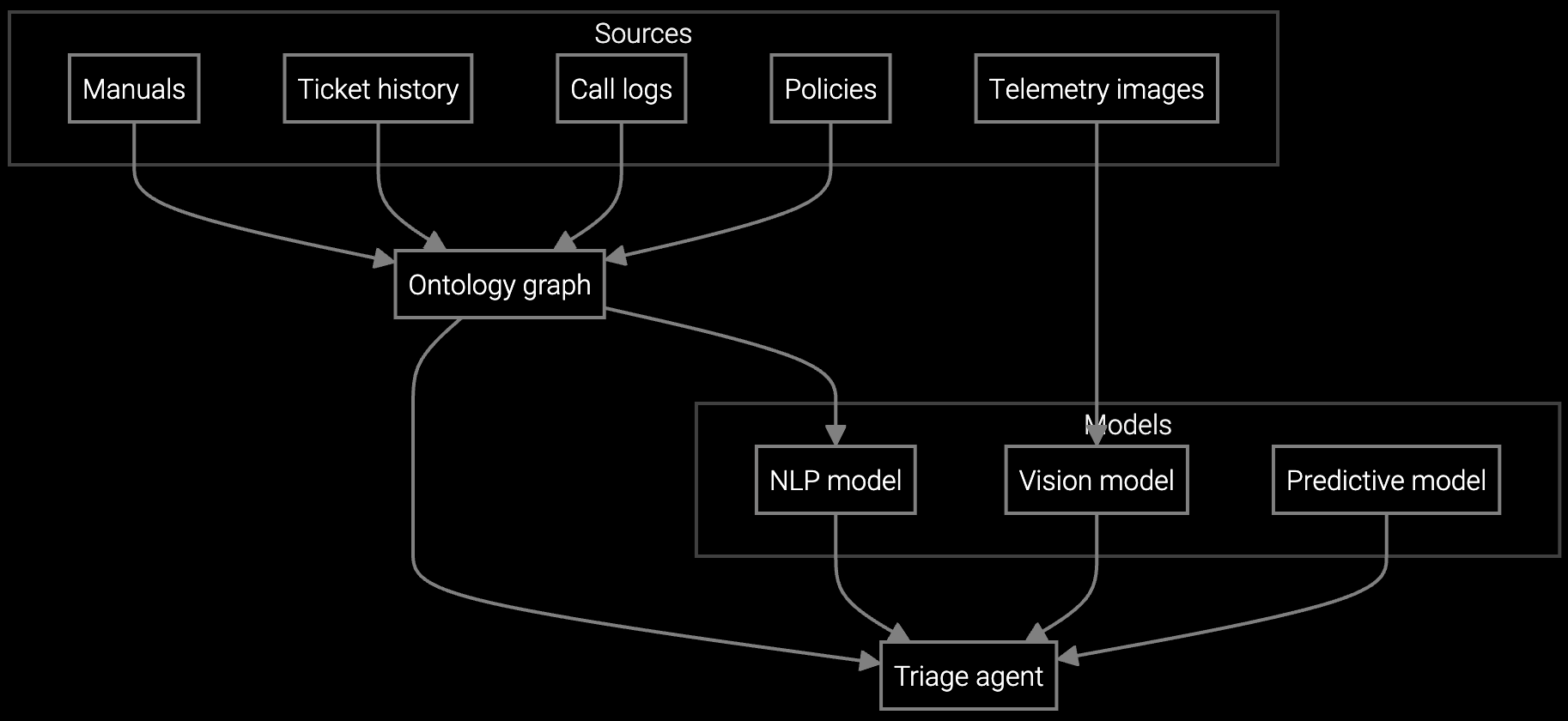
Autonomous case classification for network equipment analyzes SNMP traps, error logs, and firmware versions to route router and switch issues to the right team with full diagnostic context.
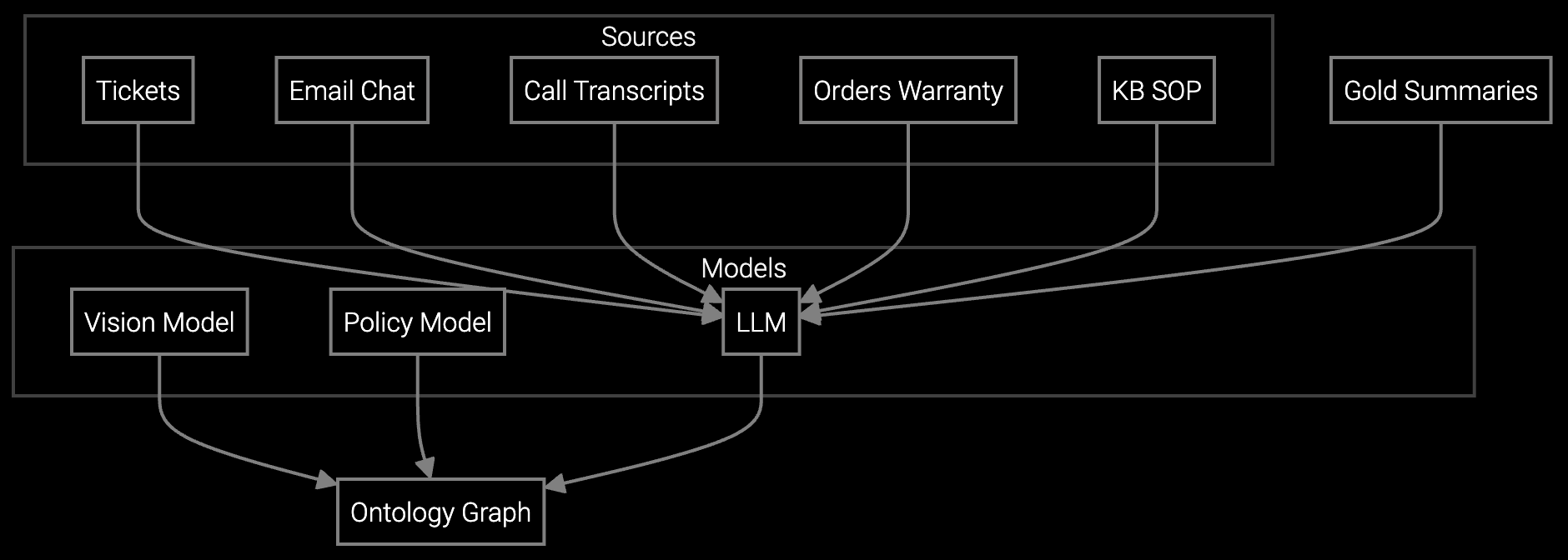
Instantly generates case summaries from NOC alerts, chat logs, and email threads so agents understand the network outage history without reading through dozens of messages.

AI reads customer emails describing network issues, classifies by equipment type and severity, and drafts responses using firmware update procedures and configuration guides from your knowledge base.
Network equipment manufacturers face unique deployment challenges: 24/7 uptime requirements mean zero tolerance for contact center disruption, and agents need instant access to firmware-specific troubleshooting steps. Start by connecting the platform to your CRM and SNMP monitoring systems, then run a two-week shadow pilot on router configuration issues—the highest-volume, most repetitive case type.
The AI learns from historical cases where agents resolved "interface down" or "BGP flapping" issues, extracting patterns from error logs and correlating them with successful resolutions. During shadow mode, agents work normally while the platform logs what routing decisions it would have made. After validating 90%+ accuracy, enable autonomous routing for that single case category. Agents now receive pre-classified cases with relevant firmware bulletins and configuration commands already attached, cutting resolution time without changing their workflow.
Pre-built connectors for major CRM and ticketing systems (Salesforce, ServiceNow, Zendesk) typically complete in 3-5 business days. Custom integrations for proprietary systems require 2-3 weeks. The platform can start analyzing historical data immediately after connection, so model training runs in parallel with any custom integration work.
No. Agents continue using their existing CRM and ticketing interfaces. The AI operates in the background, automatically classifying and routing cases before they reach agent queues. The only visible change is that cases arrive pre-triaged with diagnostic context already attached, reducing the time agents spend searching for information.
Agents can manually reroute any case with a single click, and the platform learns from these corrections. During the pilot phase, all AI decisions run in observation mode—agents see recommendations but make final routing calls themselves. Autonomous routing only activates after achieving validated accuracy thresholds on historical data.
Yes. Most network equipment OEMs start with a single product family (routers, switches, or firewalls) and one case category (configuration issues or firmware problems). This focused pilot validates the approach on high-volume, predictable cases before expanding to more complex scenarios like optical transport or security appliance diagnostics.
Track three metrics: routing accuracy (target 90%+ agreement with agent decisions), first-contact resolution rate (typically improves 15-25% when cases arrive with diagnostic context), and average handle time (usually drops 10-15% for pilot categories). The platform provides daily dashboards comparing AI routing decisions to agent outcomes, making performance visible from day one.

Transforming appliance support with AI-powered resolution.

Understanding and optimizing the issue resolution curve.

Vision AI solutions for EV charging support.
See how Bruviti integrates with your contact center in a live 2-week pilot.
Schedule Pilot Demo