
Equipment downtime costs thousands per hour—agents need instant answers, not another system to check.
Deploy AI agent assist by integrating with your existing CRM and case management system. The platform auto-populates case notes, retrieves equipment history from SCADA data, and surfaces relevant solutions from manuals—all within your current ticketing interface.
Agents toggle between CRM, knowledge base, parts catalog, SCADA viewer, and email to resolve a single case. Every system switch adds friction and extends handle time.
After finding the answer, agents spend minutes documenting the case, copying data across systems, and updating status fields. Time spent typing is time not spent helping customers.
New tools require training, workflow changes, and temporary productivity drops. Service teams operating at capacity can't afford the learning curve during peak seasons.
The platform deploys as a sidebar within your existing ticketing system. When an agent opens a case, AI automatically retrieves equipment history, correlates symptoms with known failure modes from your service database, and displays relevant manual sections—all without leaving the ticket screen. The agent reviews the suggested resolution, clicks to populate case notes, and closes the ticket.
Integration happens through REST APIs connecting to your CRM, knowledge base, and data lake. The platform ingests historical case data to learn your specific equipment failure patterns, then surfaces that institutional knowledge when similar symptoms appear. Agents get instant context without searching, and documentation happens with one click instead of ten minutes of typing.
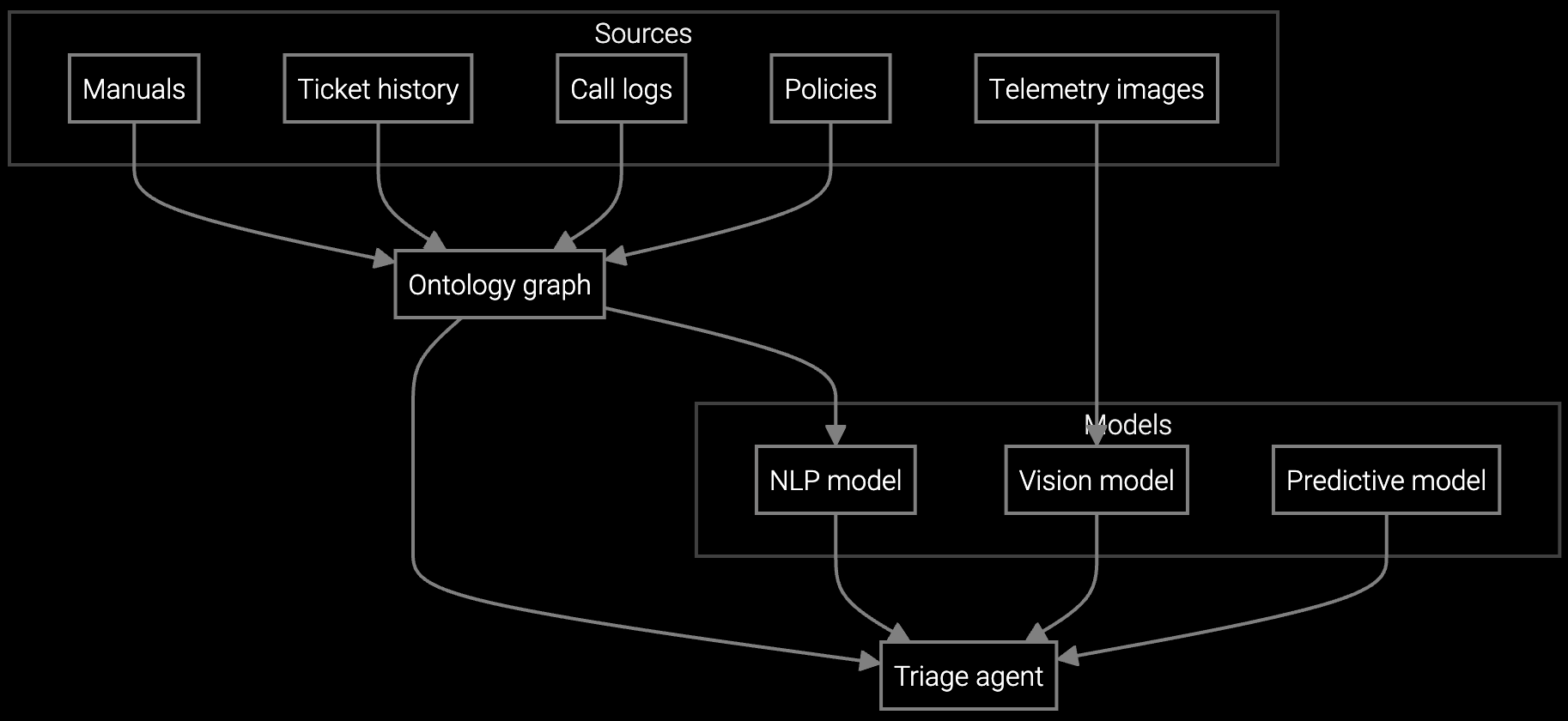
Autonomous case classification for industrial machinery analyzes vibration data, temperature logs, and error codes to route issues directly to the right service team with diagnostic context already attached.
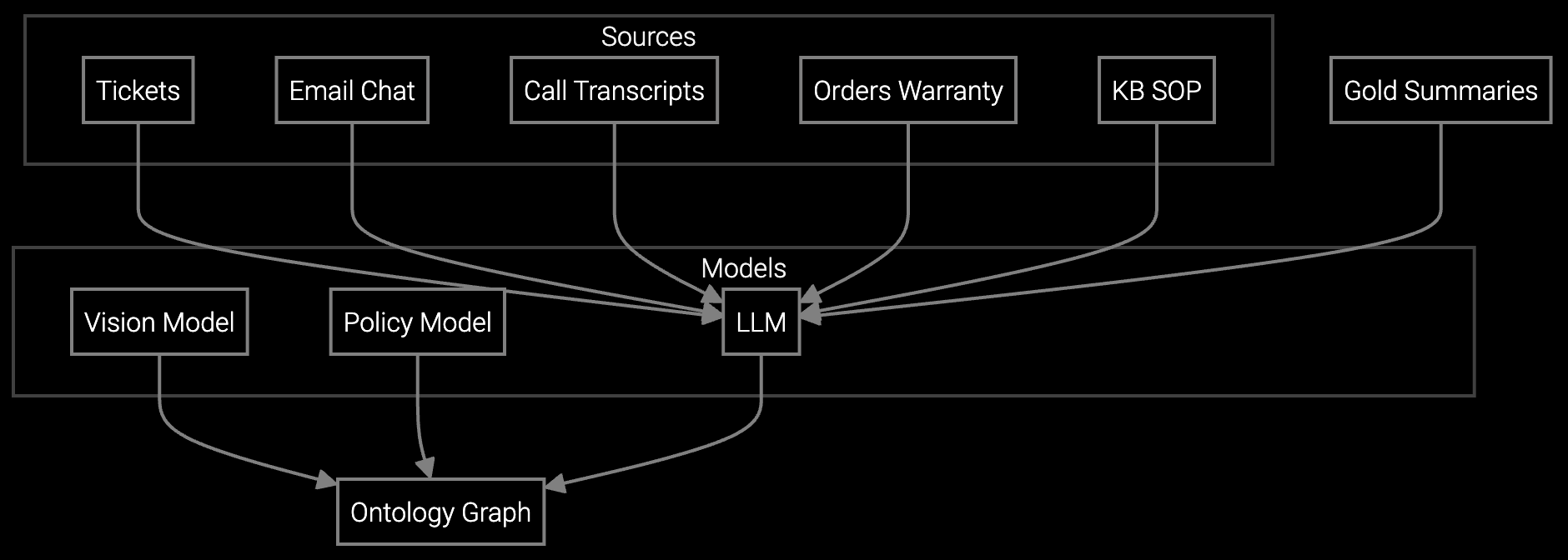
Instantly generate case summaries from call transcripts, email threads, and SCADA alerts so agents understand the complete equipment history without reading through years of service logs.
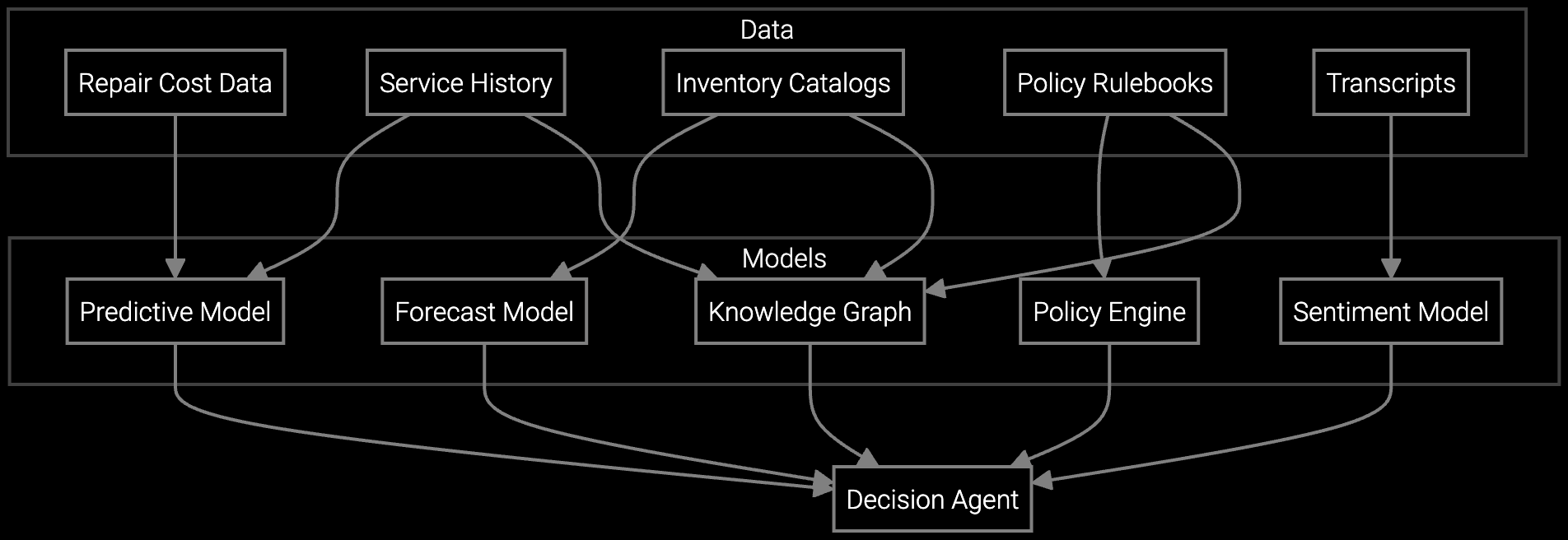
AI analyzes failure patterns, run hours, and part costs for CNC machines and pumps to recommend the most cost-effective resolution path—eliminating guesswork and reducing unnecessary replacements.
Industrial machinery manufacturers support decades-old CNC machines, turbines, and compressors with service histories spanning ten-plus years. The platform ingests SCADA telemetry, PLC logs, and maintenance records to understand normal operating parameters versus anomaly patterns for each equipment family.
When a customer reports bearing noise on a 15-year-old machine tool, the agent assist sidebar retrieves vibration trends from the data lake, correlates with similar cases from other sites, and suggests the likely root cause with replacement part numbers. The agent confirms the diagnosis, clicks to populate the case notes, and submits the parts order—all in under three minutes instead of fifteen.
No. The platform integrates with your existing CRM or ticketing system through REST APIs. Agents continue using the same interface they know—AI appears as a sidebar or embedded panel within their current workflow.
Initial API integration typically completes in 2-3 weeks. The platform begins delivering value immediately using your existing data. Custom model training for specialized equipment can add 2-4 weeks if needed, but most deployments start with pre-trained models.
The platform connects to multiple data sources simultaneously—SCADA historians, maintenance databases, parts catalogs, and knowledge bases. It correlates information across systems so agents see unified context without manual cross-referencing.
Minimal. Since the platform embeds within existing workflows, agents learn through natural usage. Most teams see productivity gains within the first week. Short demo sessions (30-60 minutes) cover core features, but the interface is designed for intuitive adoption.
Yes. Configuration controls prioritize which data sources appear first, what triggers automatic case population, and which equipment families use specialized models. Adjustments happen through admin settings without code changes.

Transforming appliance support with AI-powered resolution.

Understanding and optimizing the issue resolution curve.

Vision AI solutions for EV charging support.
See how Bruviti integrates with your existing systems to deliver instant productivity gains.
Schedule Demo