
Manual ticket routing slows your team when every minute of downtime costs customers thousands in lost revenue.
Bruviti deployment data shows AI triage and routing raises first-call resolution 16% while cutting average handle time 12.5%. Operators stand up automated case routing so the right specialist sees the right ticket immediately, lifting resolution rates without adding headcount.
Agents toggle between CRM, ticketing, knowledge base, and BMC interfaces to handle a single server issue. Each context switch adds delay and increases error risk when customers need instant responses for thermal alerts or storage failures.
Manual ticket categorization leads to power issues routed to compute teams and cooling problems sent to storage groups. Misrouted cases waste agent time and delay resolution when customers expect sub-hour response on critical infrastructure.
Searching through firmware release notes, thermal management guides, and BMC documentation consumes minutes per case. Customers running hyperscale operations cannot afford extended hold times while agents hunt for PDU configuration procedures or RAID rebuild protocols.
Bruviti's platform connects to your existing CRM via REST API, ingesting historical case data including ticket descriptions, resolution notes, and routing outcomes. The platform trains classification models that recognize patterns in how power, cooling, compute, and storage issues present themselves in customer language.
Configure routing rules that analyze incoming case attributes—customer tier, equipment type, symptom keywords, and SLA requirements—to automatically assign tickets to the appropriate support queue. The system presents agents with pre-populated case context including relevant knowledge base articles, similar past resolutions, and recommended next steps, eliminating manual search and reducing handle time.
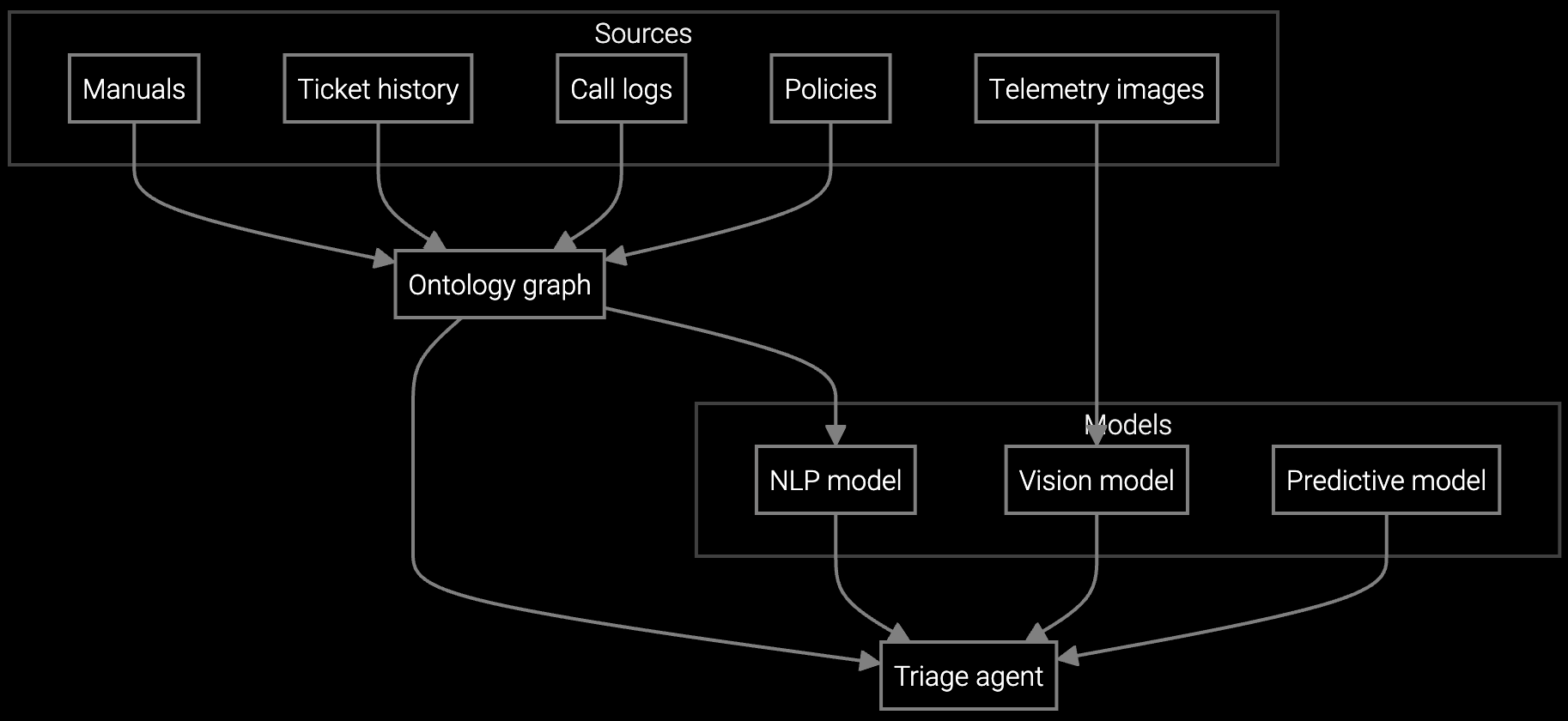
Automatically classify server, storage, and cooling cases by analyzing BMC telemetry and customer descriptions to route tickets to specialized teams instantly.
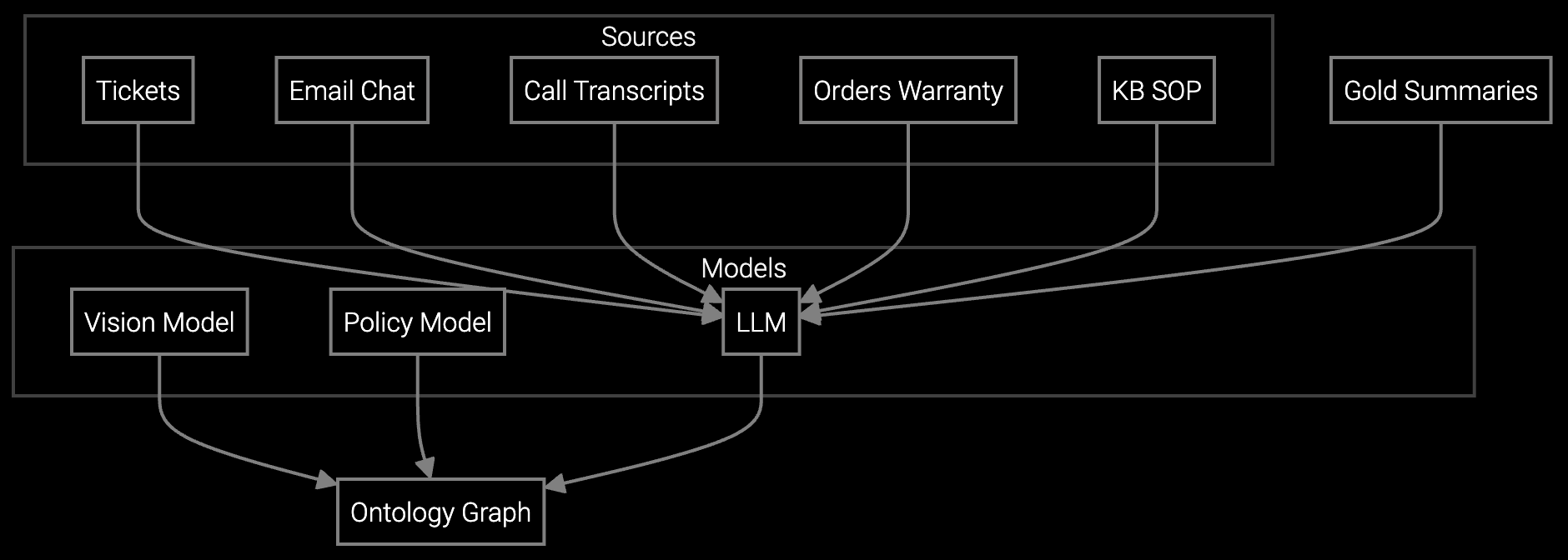
Generate instant summaries from multi-channel case histories so agents understand thermal events, firmware issues, and previous interventions without reading full ticket logs.

Auto-classify incoming emails reporting UPS alerts, hot aisle temperature spikes, or disk failures and draft responses using data center-specific resolution templates.
Start integration with your highest-volume case types—typically BMC alerts, thermal management requests, and firmware support queries. These categories provide clean training data because they follow predictable patterns: temperature threshold breaches trigger specific cooling responses, and disk failure alerts map to known replacement procedures.
Connect Bruviti's API to your CRM and IPMI monitoring systems to ingest both customer-reported symptoms and equipment telemetry. This dual data stream enables the platform to correlate what customers describe with what the hardware actually reports, improving classification accuracy when agents need to distinguish between power supply degradation and rack-level PDU issues.
API integration typically completes in 2-3 days. Model training requires 2-4 weeks depending on historical data volume and quality. Most data center OEMs see production-ready routing within 30 days for their first use case category.
Minimum 6 months of historical tickets with final resolution categories, agent assignments, and case descriptions. BMC telemetry data improves accuracy when available. Data quality matters more than volume—clean labels from 5,000 cases outperform messy data from 50,000.
Yes. Bruviti supports parallel integrations across Salesforce, ServiceNow, Zendesk, and custom ticketing systems. Multi-system deployments are common when supporting different product lines or regional support centers with distinct tooling.
Track reassignment rate (should drop below 10%), time to first response, and first-contact resolution rate. Compare manual vs automated routing accuracy weekly for the first month. Most teams achieve 85%+ correct assignment within 30 days of launch.
Low-confidence cases route to a triage queue where agents review and label them. These labeled cases automatically feed back into training data, continuously improving model coverage. Set confidence thresholds per use case—critical power issues may require 95% confidence while general inquiries accept 75%.

Understanding and optimizing the issue resolution curve.

Part 1: The transformation of IT support with AI.

Part 2: Implementing AI in IT support.
See how Bruviti integrates with your existing systems to automate ticket classification in under 30 days.
Schedule Implementation Review