
Legacy ticketing systems force agents to hunt across SAP, CRM, and service logs while customers wait on hold.
Industrial OEMs automate agent workflows by connecting case systems to equipment telemetry and service history APIs. AI handles triage, knowledge retrieval, and parts ordering while agents focus on complex customer interactions requiring judgment.
Agents toggle between ticketing system, ERP, equipment portal, and knowledge base to answer simple questions. Each screen switch adds cognitive load and extends handle time.
Finding relevant service bulletins, troubleshooting guides, or parts compatibility info requires keyword searches across disconnected repositories. Agents guess at search terms or escalate unnecessarily.
Agents manually copy equipment serial numbers, error codes, and customer details across systems. Data transcription errors lead to wrong parts shipments and repeat contacts.
Bruviti provides Python and TypeScript SDKs that plug into existing case management and ERP systems. The platform ingests equipment telemetry, service history, and parts data through REST APIs, then exposes workflow automation endpoints for case routing, knowledge lookup, and parts recommendation.
Developers define custom routing rules, build model training pipelines on historical case data, and orchestrate multi-step workflows using event-driven triggers. The headless architecture avoids vendor lock-in by integrating with SAP, Oracle, or custom data lakes without requiring platform migration.
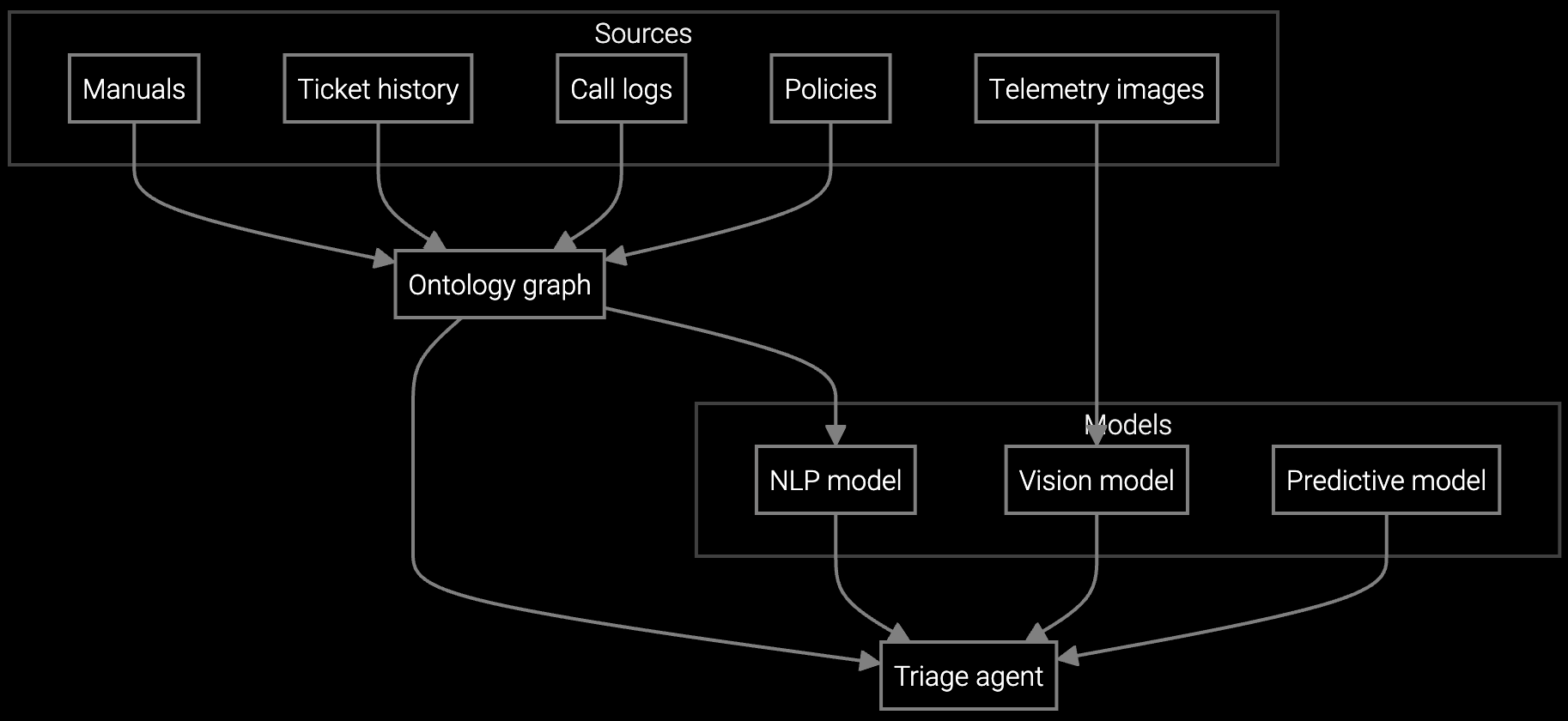
Autonomous case classification for CNC machines and industrial robots. API analyzes symptom text, correlates telemetry, and routes to the right team with diagnostic context attached.
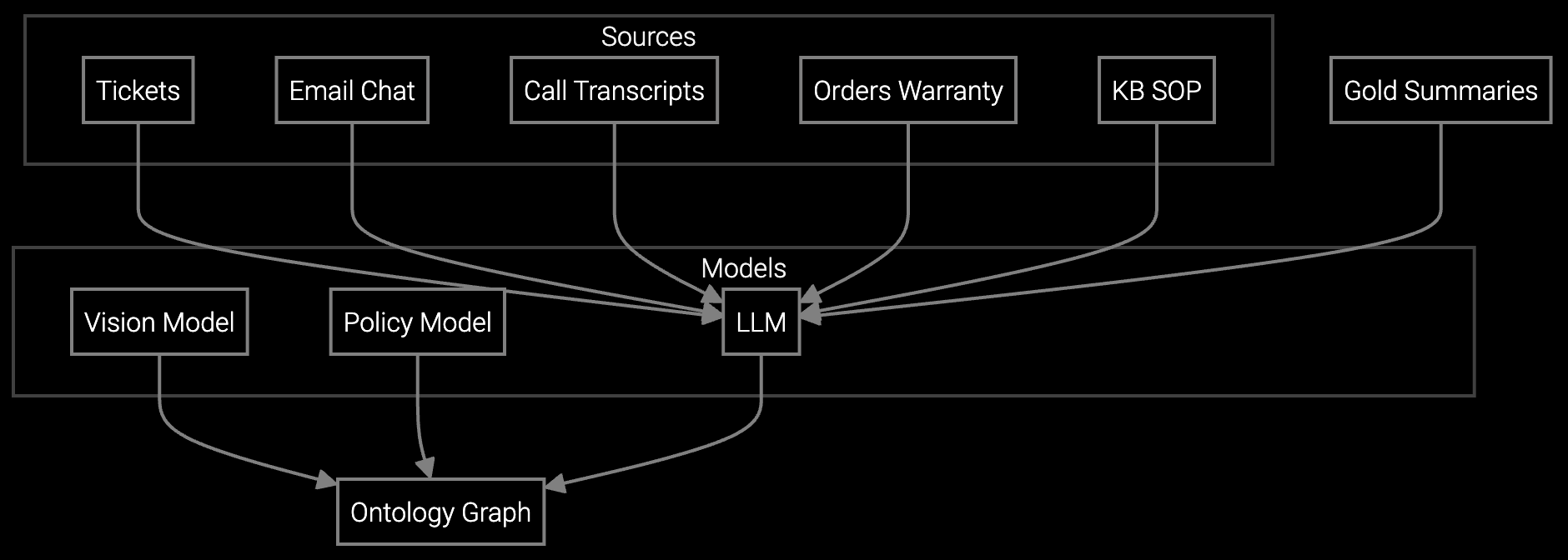
Auto-generates case history from email threads, call transcripts, and prior tickets. Agents see run hour data, past failures, and warranty status without switching screens.

AI reads incoming emails, extracts equipment serial numbers, classifies issue type, and drafts responses using historical resolution data. Handles routine parts availability and manual requests without agent intervention.
Industrial machinery operates for 10-30 years, generating service cases spanning multiple product generations. Agents need instant access to legacy manuals, obsolete parts cross-references, and equipment-specific troubleshooting procedures.
API-driven workflow automation connects case systems to equipment telemetry streams from PLCs and SCADA systems. When a customer calls about a pump failure, the platform auto-retrieves vibration data, temperature logs, and maintenance history before the agent says hello.
API-first platforms connect via REST endpoints to systems like Salesforce Service Cloud, SAP Service, or custom ticketing tools. Developers use SDKs to map case fields, define routing rules, and trigger automation workflows based on case events. No data migration required.
Yes. Python or TypeScript SDKs let developers write custom routing functions that evaluate case attributes, telemetry signals, and service history. Rules can vary by product line, customer tier, or failure mode severity without platform vendor involvement.
Headless architecture means automation logic runs in your environment using standard languages. Training data, routing rules, and workflow definitions remain portable. The platform provides API access to models and data, avoiding proprietary runtimes or closed ecosystems.
Workflow automation presents recommendations with confidence scores. Agents can reject AI suggestions, reroute cases manually, or flag errors for model retraining. All overrides feed back into training pipelines to improve accuracy over time.
Typical implementation requires 2-4 weeks for API integration, routing rule definition, and pilot deployment on a single case type. Developers use pre-built connectors for common systems and write custom functions for business-specific logic. Incremental rollout across case types spreads effort over quarters.

Transforming appliance support with AI-powered resolution.

Understanding and optimizing the issue resolution curve.

Vision AI solutions for EV charging support.
See how API-first architecture integrates with your existing systems in a 30-minute technical demo.
Schedule Technical Demo